
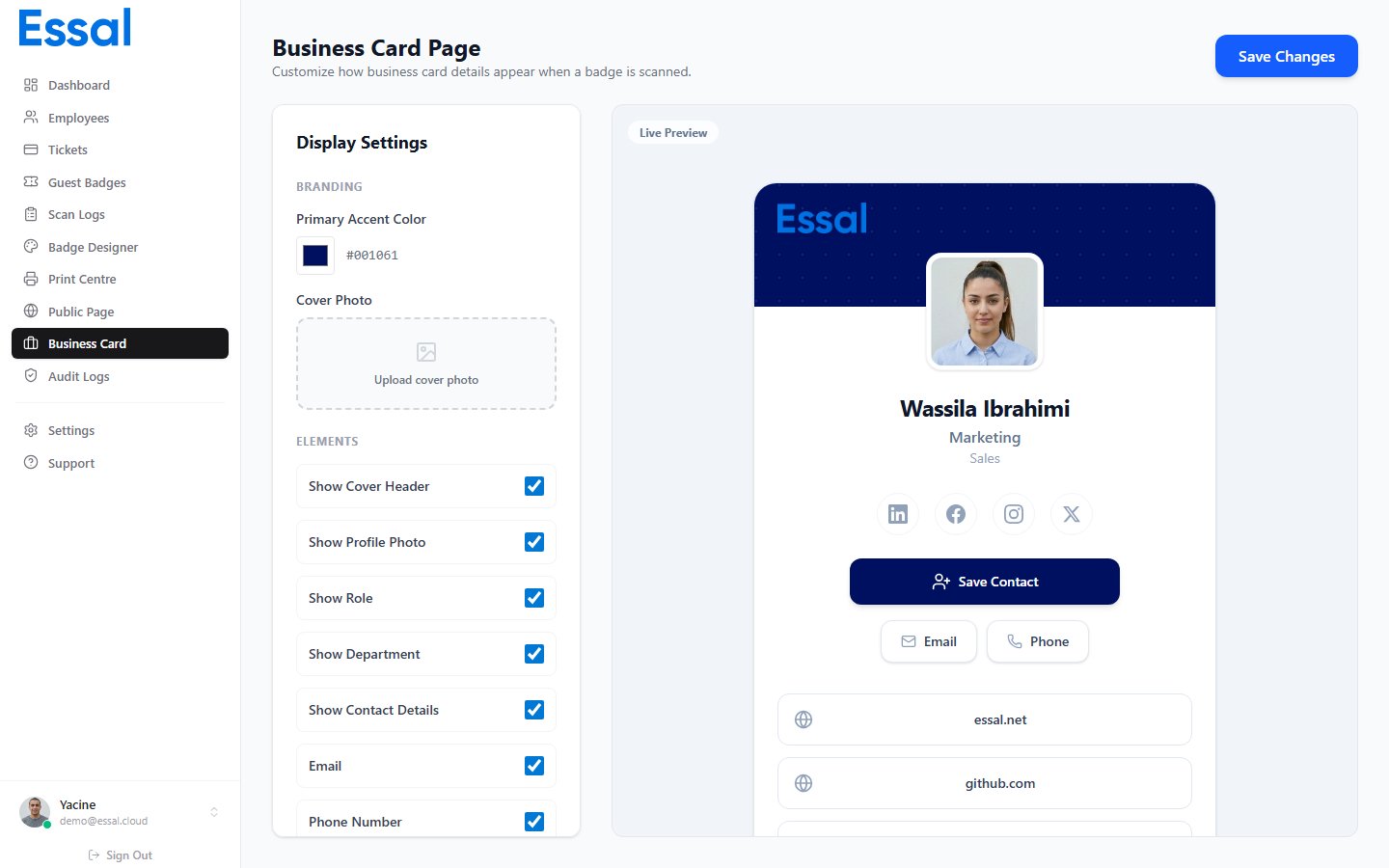
Business Card vs. Public Profile
Essal Access has two different public-facing views:
The business card is the lightweight, privacy-friendly view. The full public profile is the access-control-oriented view.
What Appears on the Card
A business card shows:- Cover strip — your organization’s primary color, with optional cover photo and company logo
- Profile photo — employee’s photo, or initials if no photo is set
- Name, role, and department
- Social media icons — LinkedIn, Twitter/X, Instagram, Facebook (linked)
- Save Contact button — downloads a vCard (.vcf) file for saving to phone contacts
- Email and Call buttons — quick-action links (if contact details are shared)
- Website and custom links — any additional links configured by the admin or employee
- Bio — employee’s bio text
- Contact section — email and phone with icons
Who Can Edit the Card
- Administrators configure the template (colors, cover photo, which fields are shown, and organization-wide links) in the Business Card Editor.
- Employees can add their own custom links from the Employee Portal.
Enabling Business Card Mode
To route all badge scans to the business card instead of the full profile:- Go to Settings → General.
- Disable Allow public badge verification.
- Enable Business card mode.