
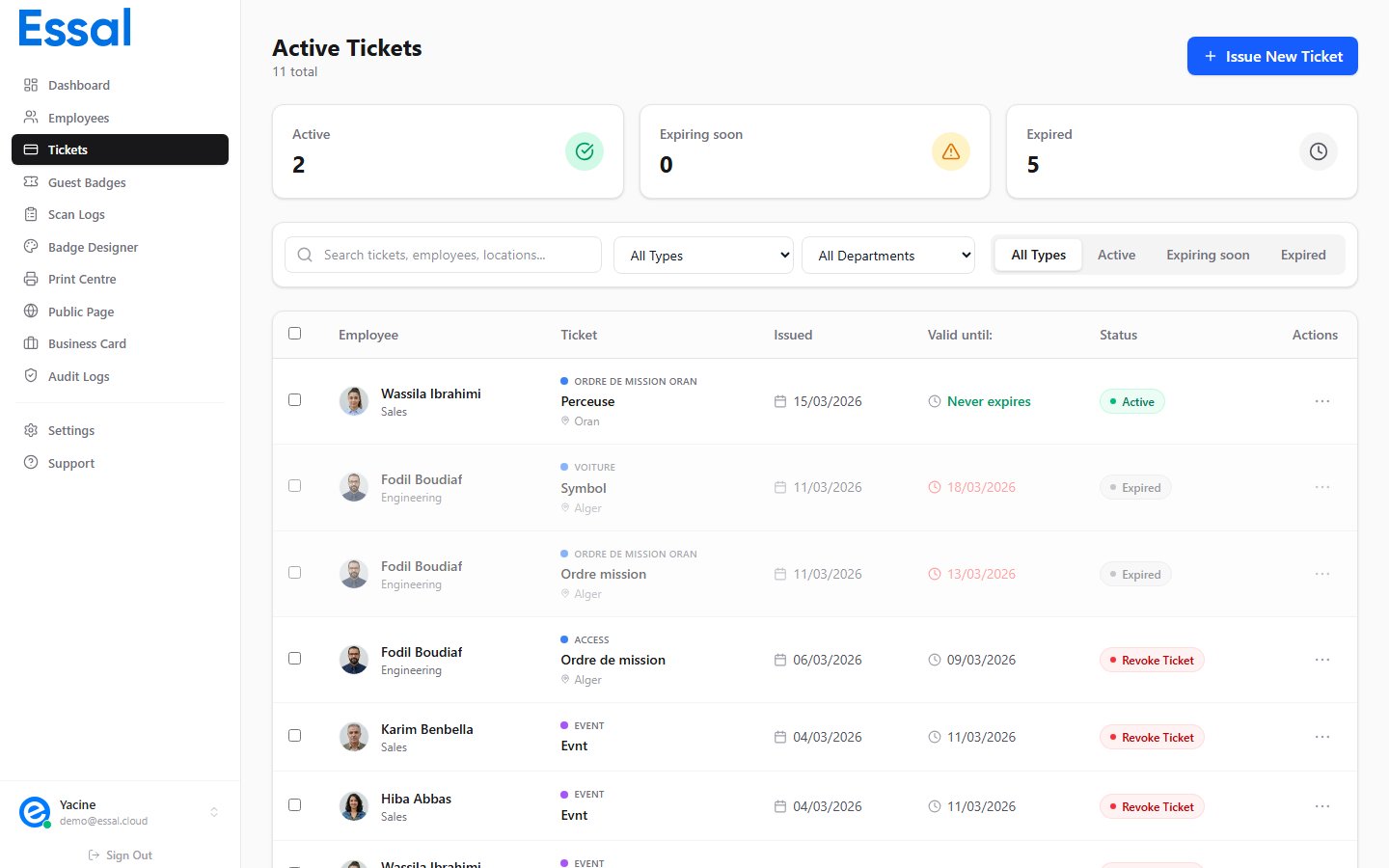
Status Overview
Active
A ticket is Active when:- Its stored status is
active, and - Either it has no expiry date, or the current time is before the
valid untildate
Expiring Soon
A ticket is Expiring Soon when it is still active but itsvalid until date is within 3 days of today. This status helps administrators identify tickets that need to be renewed before they expire.
The verification page shows an amber status badge for expiring-soon tickets.
Expired
A ticket is Expired when itsvalid until date has passed. Expiry is automatic — no admin action is required.
- The ticket row in the admin list is shown with reduced opacity and a gray background
- The verification page displays an Expired badge in amber
- Expired tickets cannot be revoked (the Revoke action is hidden for them)
Note: Expiry is calculated client-side at display time. The stored ticket record keeps status: "active" in the database — only the displayed status changes to Expired.
Revoked
A ticket is Revoked when an administrator has manually cancelled it using the Revoke action. Revoking sets the ticket’s stored status toused, which immediately invalidates it.
- The verification page shows a Revoked badge in red
- The
valid untildate is shown with a strikethrough - Revoked tickets cannot be revoked again
- The employee no longer needs the pass before its expiry
- The ticket was issued in error
- The employee was terminated or suspended
Tickets That Never Expire
If a ticket was created with the Ticket expires checkbox unchecked, it has novalid until date. These tickets remain Active indefinitely until they are manually Revoked or Deleted.
On the verification page, the validity field shows “Never expires” in green text.
Filtering by Status
In the Tickets list, use the status tab bar above the table to filter:- All — shows every ticket regardless of status
- Active — only currently valid tickets (includes Expiring Soon)
- Expiring soon — tickets that expire within 3 days
- Expired — tickets whose validity window has passed