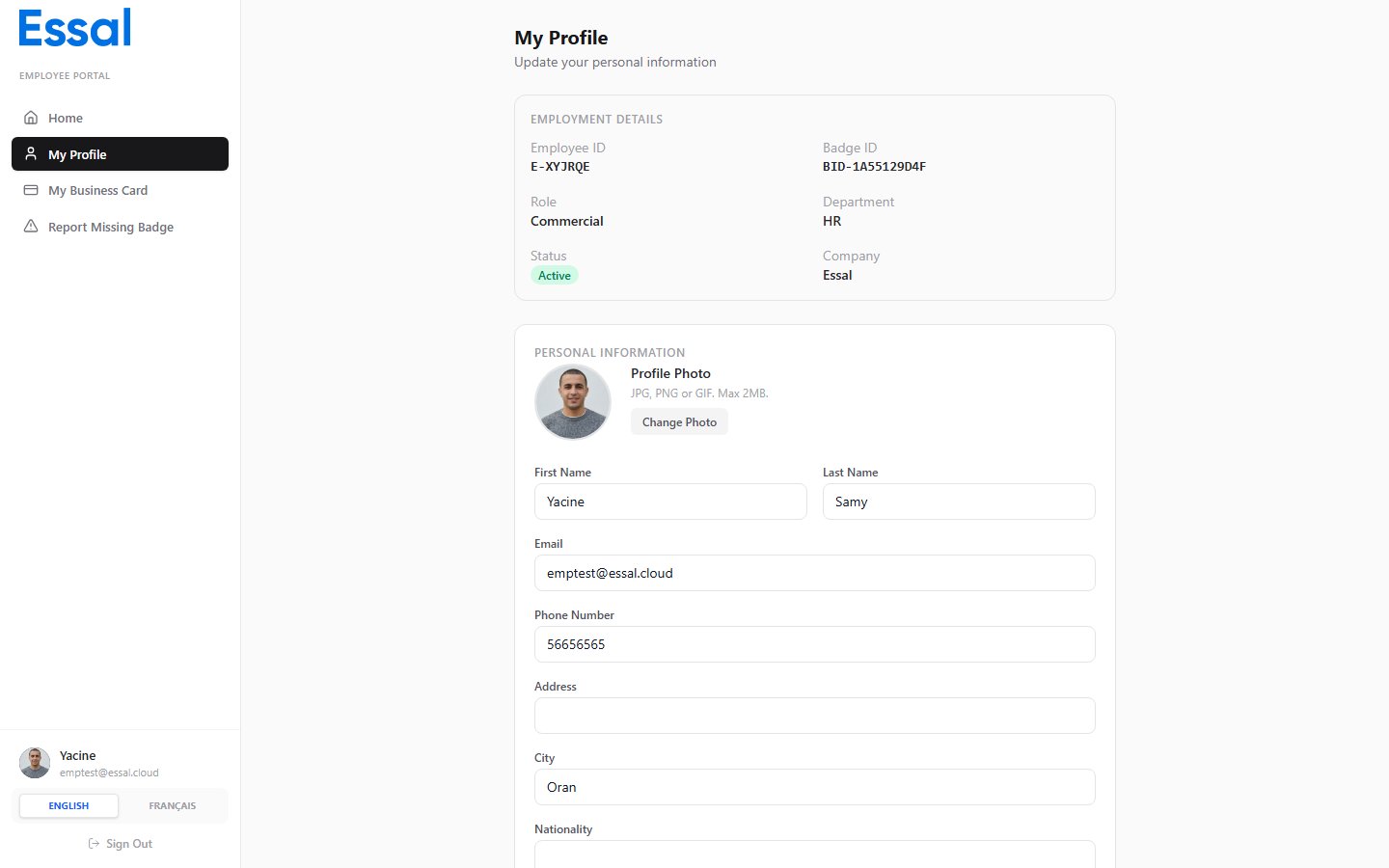
The My Profile page shows all of your employment details. Some of this information is read-only and can only be changed by an administrator; other fields can be edited directly by you. Employee profile page

Read-Only Employment Details

At the top of the profile page you will see a summary of your employment record. These fields are maintained by your administrator and cannot be changed from the portal:

Your Profile Photo

Your current profile photo appears at the top of the page. If no photo has been uploaded, a placeholder is shown.

Editable Personal Information

Below the read-only section you will find fields you can update yourself:
  • First name and last name
  • Email address
  • Phone number
  • Address and city
  • Nationality
  • Bio / summary
For full instructions on updating these fields, see Editing Your Profile.

Custom Attributes

If your organisation has set up custom profile fields, they will appear in a separate section on the profile page. Fields that are marked as employee-editable can be filled in; others are shown as read-only if a value has already been entered by an administrator.

Health and Safety

A dedicated Health & Safety section on the profile page stores emergency contact details, allergies, medical conditions, and disability information. See Updating Health and Safety Information for details.