
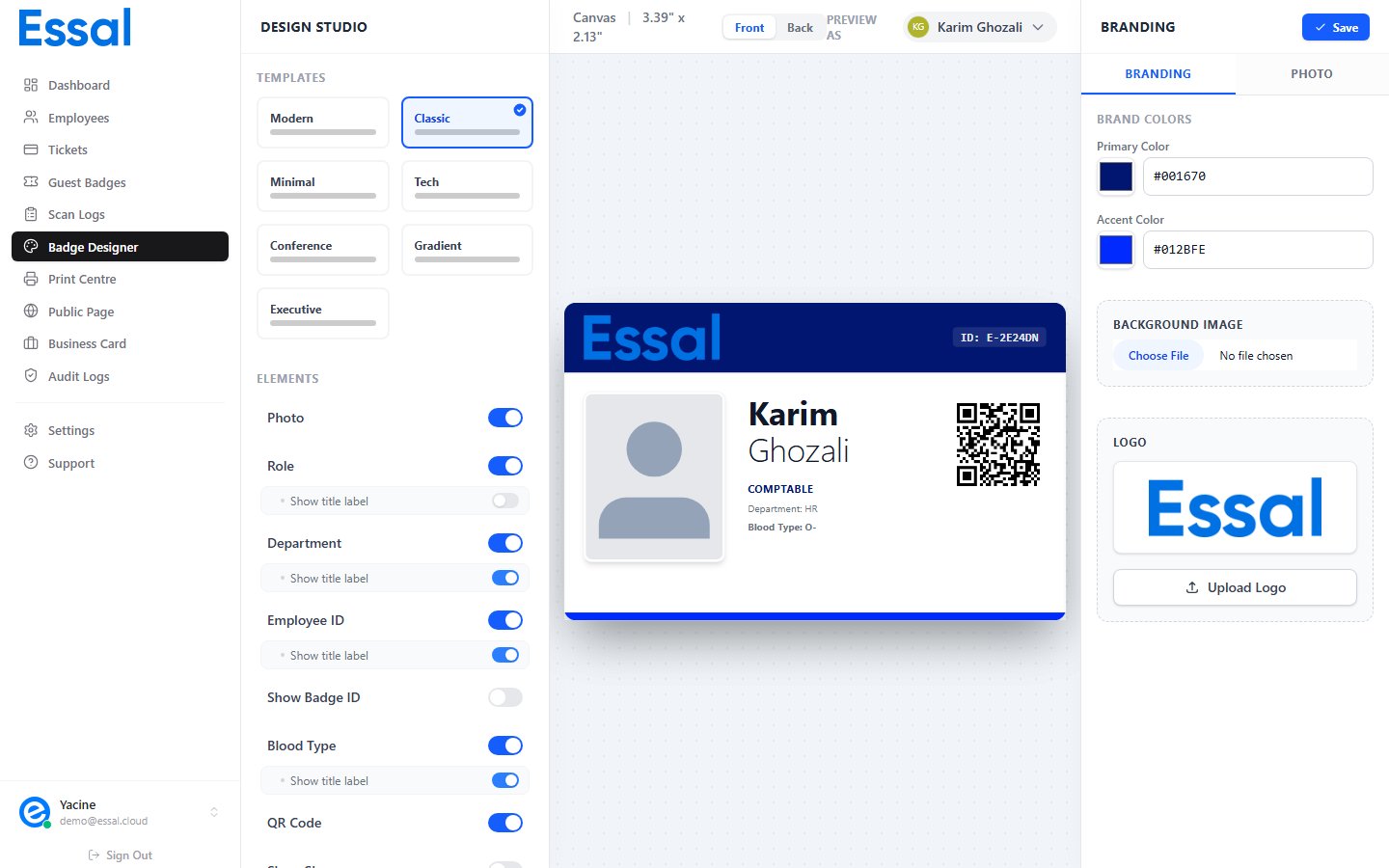
Selecting a Layout
Click any layout button in the Templates section. The badge preview in the center panel updates immediately. The selected layout is highlighted with a blue border and a checkmark. Your choice is saved when you click Save in the right panel header.The 7 Built-In Layouts
Modern
A clean, contemporary layout with a distinctive left sidebar in your primary color, a circular employee photo, and QR code beside it. The right area is white with the company logo at the top, followed by the employee’s name, a role pill, department, and other enabled fields. Best for: Professional services, technology companies, modern workplaces that want a sleek, minimal look.Corporate
A structured, formal layout with a full-width primary-color header bar containing the company logo and employee ID. The body shows the employee photo beside their name, role, and department. A QR code sits at the bottom right with a colored accent stripe. Available in both landscape and portrait arrangements:- Landscape — horizontal photo and details side by side
- Portrait — circular photo centered below the header, details in a floating card
Tech
A dark-themed layout with a near-black gradient background. The employee photo is styled in grayscale with high contrast and a green “active” status dot. Text is white and light-gray on dark. The employee’s last name appears in your primary color. Field labels are minimal and uppercase. Best for: IT departments, security operations, tech startups, or organizations where a modern, digital aesthetic is preferred.Conference
A versatile layout designed for events and large gatherings. The employee’s name is displayed in a very large, bold font — optimized for legibility at a glance across a room. A vertical strip in your primary color runs down the left edge. Available in landscape and portrait:- Landscape — photo floats to the right, large name on the left
- Portrait — photo is centered, very large name below it with a bold role pill
Minimal
A clean white layout with no heavy decorative elements. The photo and logo are small and unobtrusive. Content is arranged in a simple vertical flow with a thin primary-color accent bar. Maximum information density in a restrained design. Best for: Organizations that prefer understated design, or where badge printing costs require minimizing ink coverage.Gradient
A bold, colorful layout with a full-badge gradient flowing from your primary color to your accent color. Decorative pulse orbs add depth. The QR code sits in a glassmorphic container. The employee’s name and role are displayed in large white text. Badge ID and Employee ID appear in glassy chips at the bottom. Best for: Creative agencies, media companies, events, hospitality — anywhere visual impact matters more than formality.Executive
A sophisticated dark-slate layout with subtle gold (amber) accents. A horizontal amber line runs across the top. The employee photo has a gold glow border. The company logo is rendered in amber. AnExecutive label with an animated amber dot marks the badge type.
Best for: C-suite and senior leadership badges, VIP passes, financial institutions, or any scenario requiring a premium, distinctive badge.