
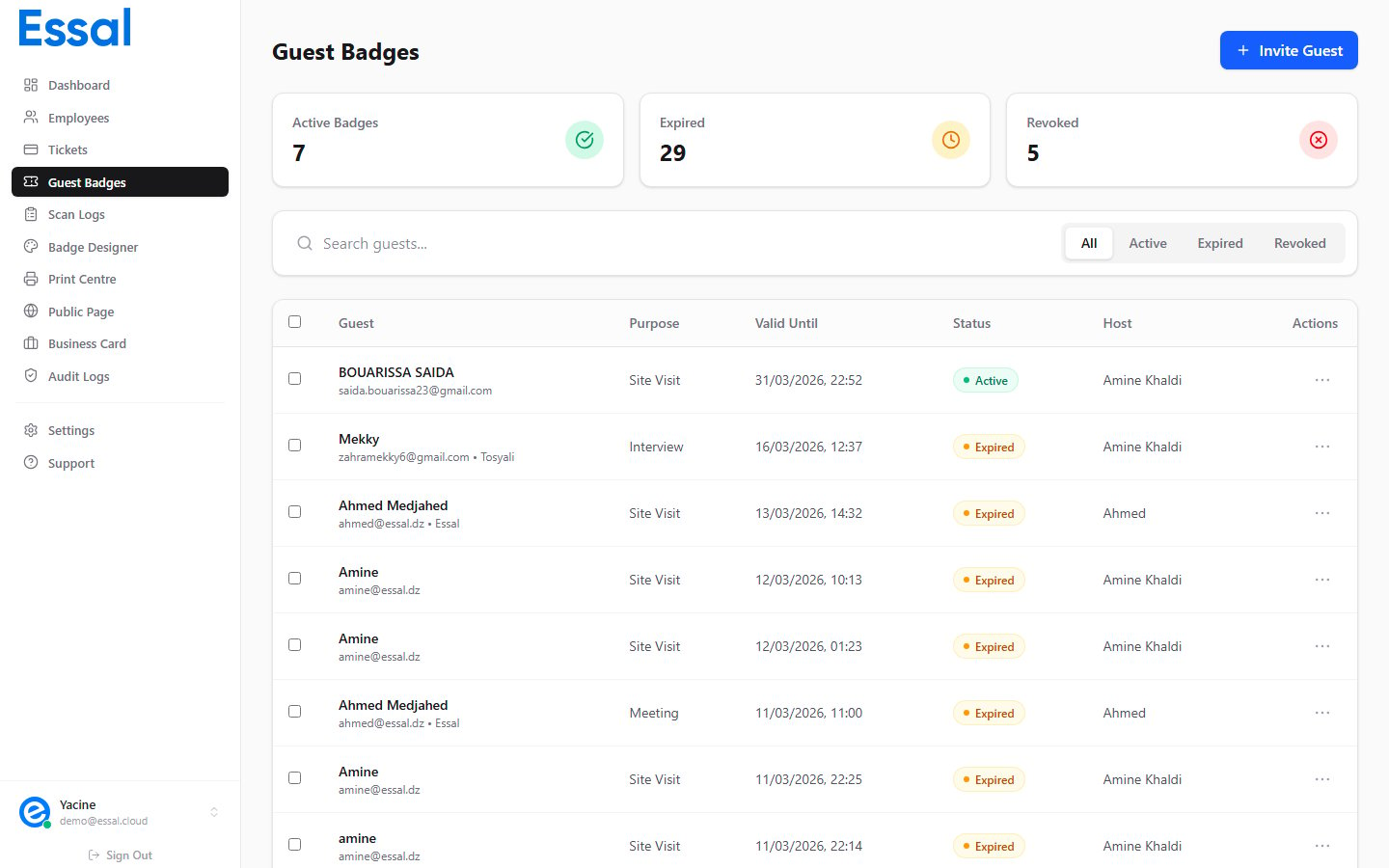
Status Overview
Active
A badge is Active when:- Its database status is
active, and - The current time is within the
valid from/valid untilwindow
Newly created badges are active immediately unless you set a future valid from date.
Expired
A badge is Expired when itsvalid until time has passed. Expiry is automatic — no manual action is needed.
- The expiry is calculated client-side on each page load
- The underlying database record remains as
active; only the displayed status changes - The public verification page also evaluates the
valid untilfield and shows Expired to security guards
Important: An expired badge cannot be reactivated. If a guest needs to extend their visit, create a new badge with an updated validity window.
Revoked
A badge is Revoked when an admin explicitly cancels it before or after its validity window. This allows you to immediately block access even if the badge’svalid until has not been reached yet.
When a badge is revoked:
- Its database status is set to
revoked - The name of the admin who revoked it and the timestamp are recorded (
revoked_byandrevoked_at) - The verification page shows Revoked Badge in red to any guard who scans it
- Navigate to Guest Badges
- Click the three-dot menu (⋮) on the badge row
- Select Revoke
- Confirm the action in the dialog
Note: The Revoke option only appears for badges that are currently Active. Expired and already-revoked badges cannot be revoked again.
What Security Guards See
On the public verification page, the status is communicated visually and textually:
If a guard scans a link that doesn’t exist (the token is invalid or the badge was deleted), they see an error screen with an X icon and an explanatory message.