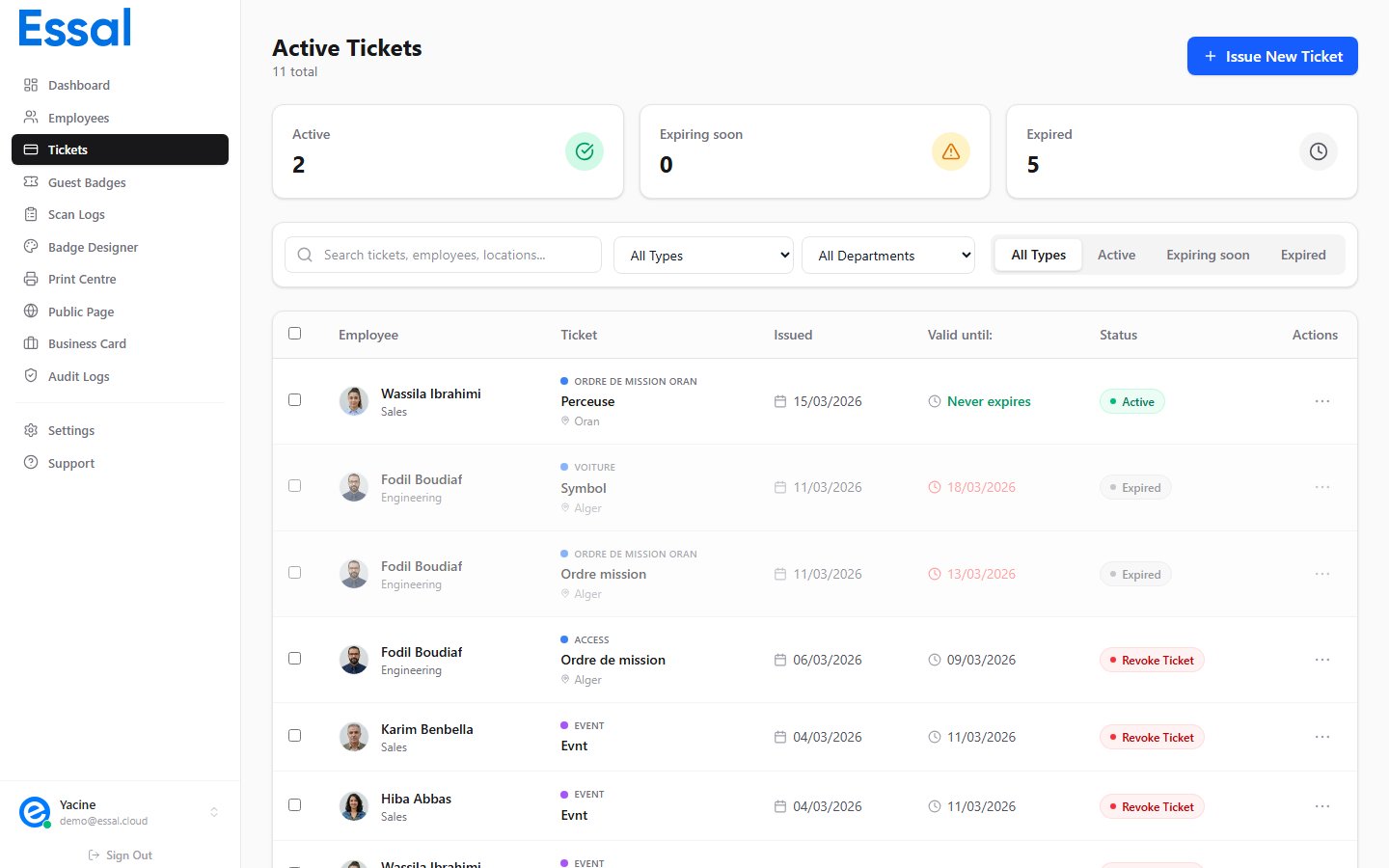
Tickets are digital passes you can issue to employees for a specific purpose and time period — such as an access pass, meal voucher, parking permit, or event admission. Each ticket generates a unique QR code link that can be scanned to verify its validity. Tickets list showing issued tickets with type, employee, status, and expiry information

How Tickets Work

When you issue a ticket to an employee, Essal Access:
  1. Creates a ticket record attached to the employee’s profile with a unique ID (e.g. TKT-A1B2C3D4E5)
  2. Generates a public verification link: https://idpage.link/ticket/{ticketId}
  3. The employee (or an operator) can open or share that link to show the ticket’s current status
No separate account or app is needed for the recipient — the link opens a public page showing the ticket details.

Ticket Types

Every ticket belongs to a ticket type that defines its name and color. Essal Access comes with six built-in types: You can also create your own custom ticket types with any name and color. See Creating Custom Ticket Types for details.

What Makes Tickets Different from Guest Badges


Viewing All Tickets

Navigate to Tickets in the sidebar to see all issued tickets across your organization. You can filter by ticket type, department, status, and search by employee name, ticket title, or location.