
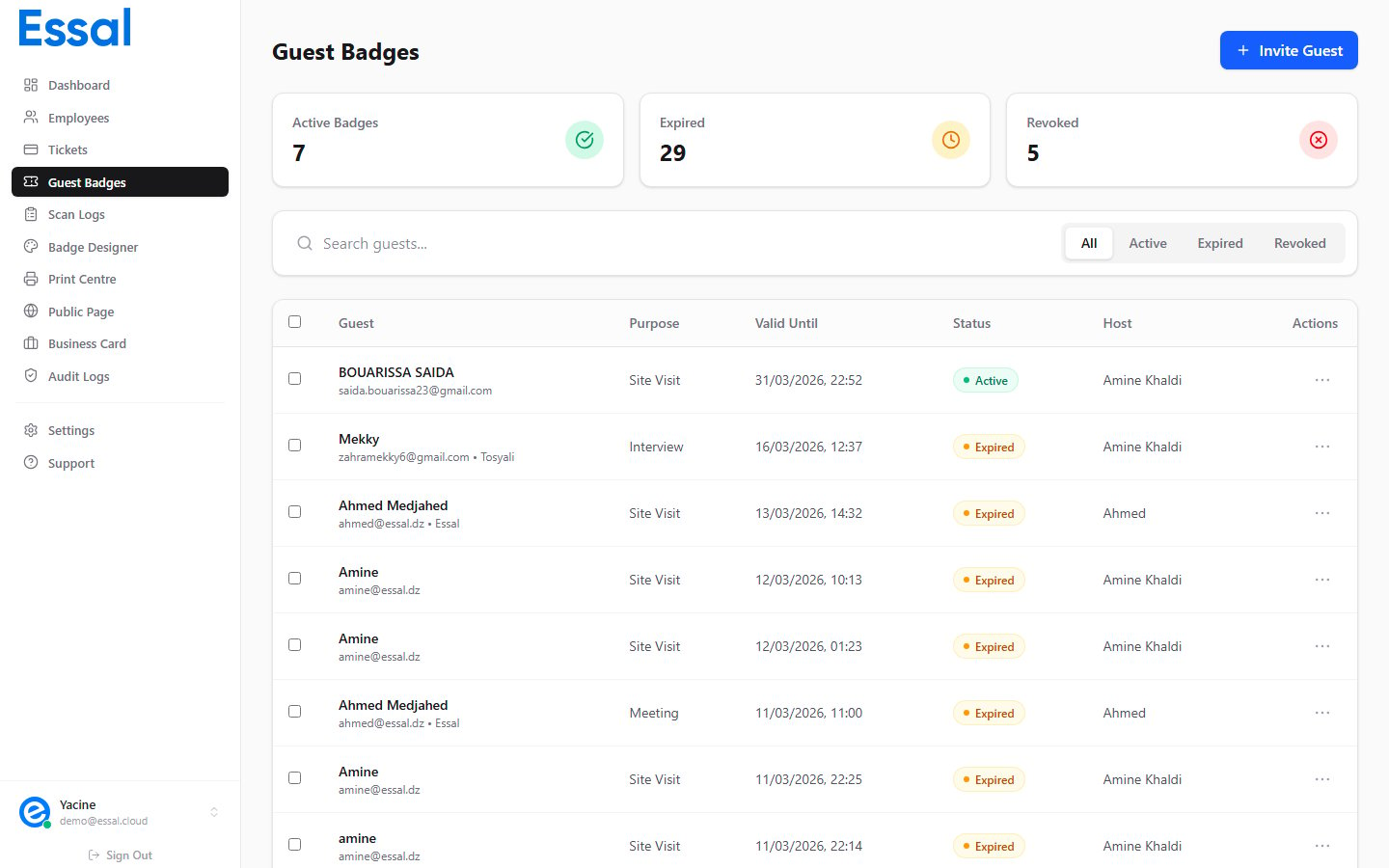
How Guest Badges Work
When you create a Guest Badge, Essal Access generates a unique, shareable link in the format:- Emailed directly to the guest at the time of creation — Essal sends the invite automatically
- Copied and shared manually via any channel (SMS, WhatsApp, printed email, etc.)
- Scanned at the entrance by a security guard using any QR reader or check-in device
What Makes Guest Badges Different from Employee Badges
When to Use Guest Badges
- Site visits — external clients, partners, or inspectors visiting the premises
- Interviews — job candidates arriving for on-site interviews
- Meetings — attendees for scheduled in-person meetings
- Deliveries — couriers or logistics personnel who need temporary access
- Events — participants at a conference, open day, or training session
- Contractors — short-term workers who don’t need full employee accounts
Key Concepts
- Validity window — each badge has a
valid fromandvalid untiltimestamp. Guards can see this on the scanned page. - Access zones — if your organization has defined access zones, you can specify which areas a guest is permitted to enter.
- Automatic expiry — badges past their
valid untiltime automatically show as Expired without any manual action. - Revocation — an admin can manually revoke a badge at any time, instantly invalidating it even if the validity window hasn’t ended.