
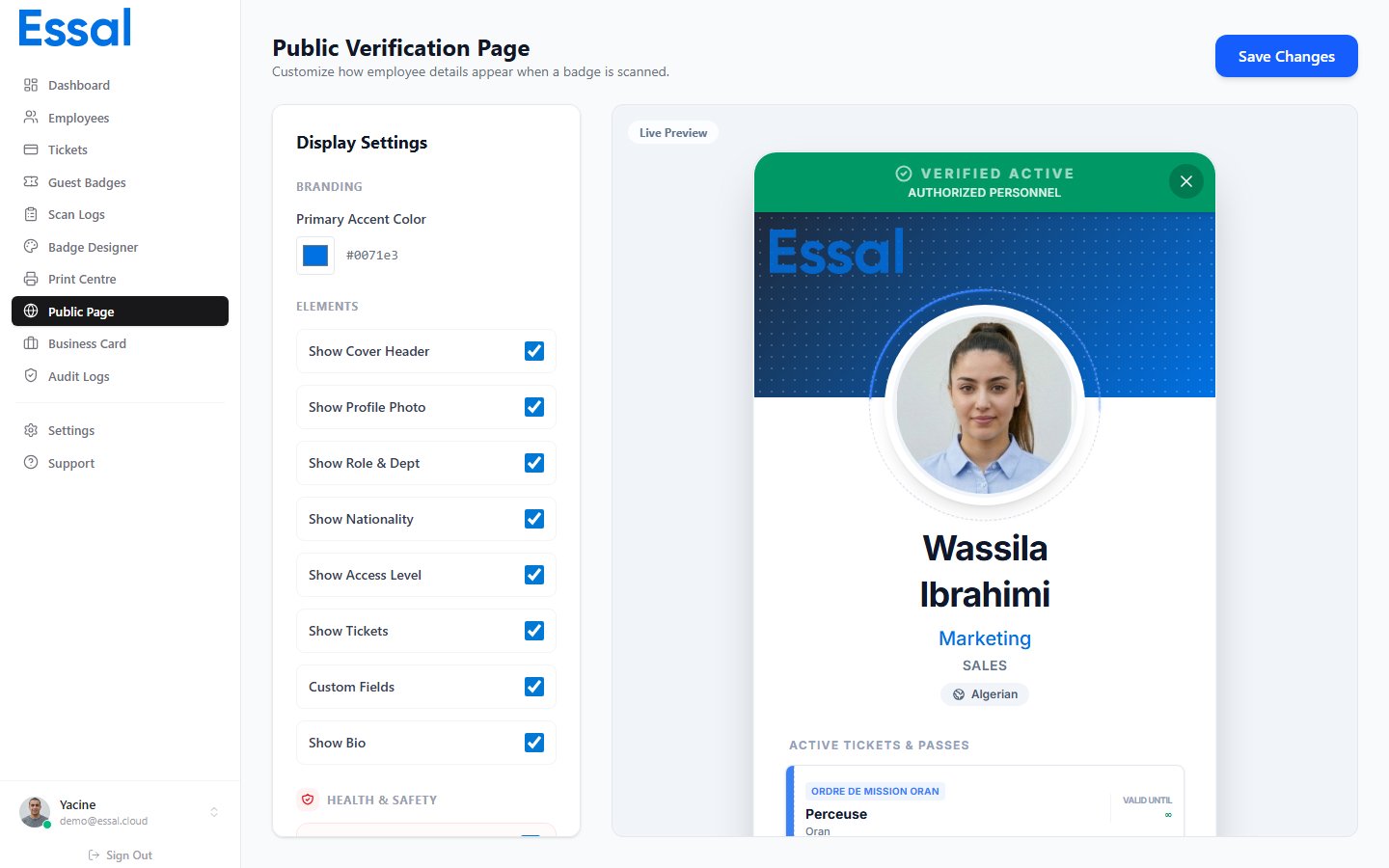
Opening the Editor
Go to Settings → Public Page Editor in the admin navigation, or navigate directly to/public-page-editor. A live preview on the right updates as you make changes.
Branding
Primary color — sets the accent color used for the cover strip at the top of the profile and for buttons. Click the color swatch to open a color picker, or type a hex value directly.Visibility Toggles
Use the toggles to show or hide each section of the public profile:
Contact section:
- Show contact info — master toggle for all contact details
- Show email — employee’s email address (requires contact toggle on)
- Show phone — employee’s phone number (requires contact toggle on)
- Show location — city and address
Showing email and phone makes that data publicly visible to anyone who scans the badge. Use these toggles carefully.Health & Safety (shown separately):
- Blood type, emergency contact, allergies, medical conditions, safety certifications