> ## Documentation Index
> Fetch the complete documentation index at: https://support.essal.cloud/llms.txt
> Use this file to discover all available pages before exploring further.
# Scan Logging
Essal Access maintains two separate scan log systems: **Audit Logs** for public badge scans and **Scan Logs** for check-in device scans. Both are available in the admin panel.
## Audit Logs (Public Badge Scans)
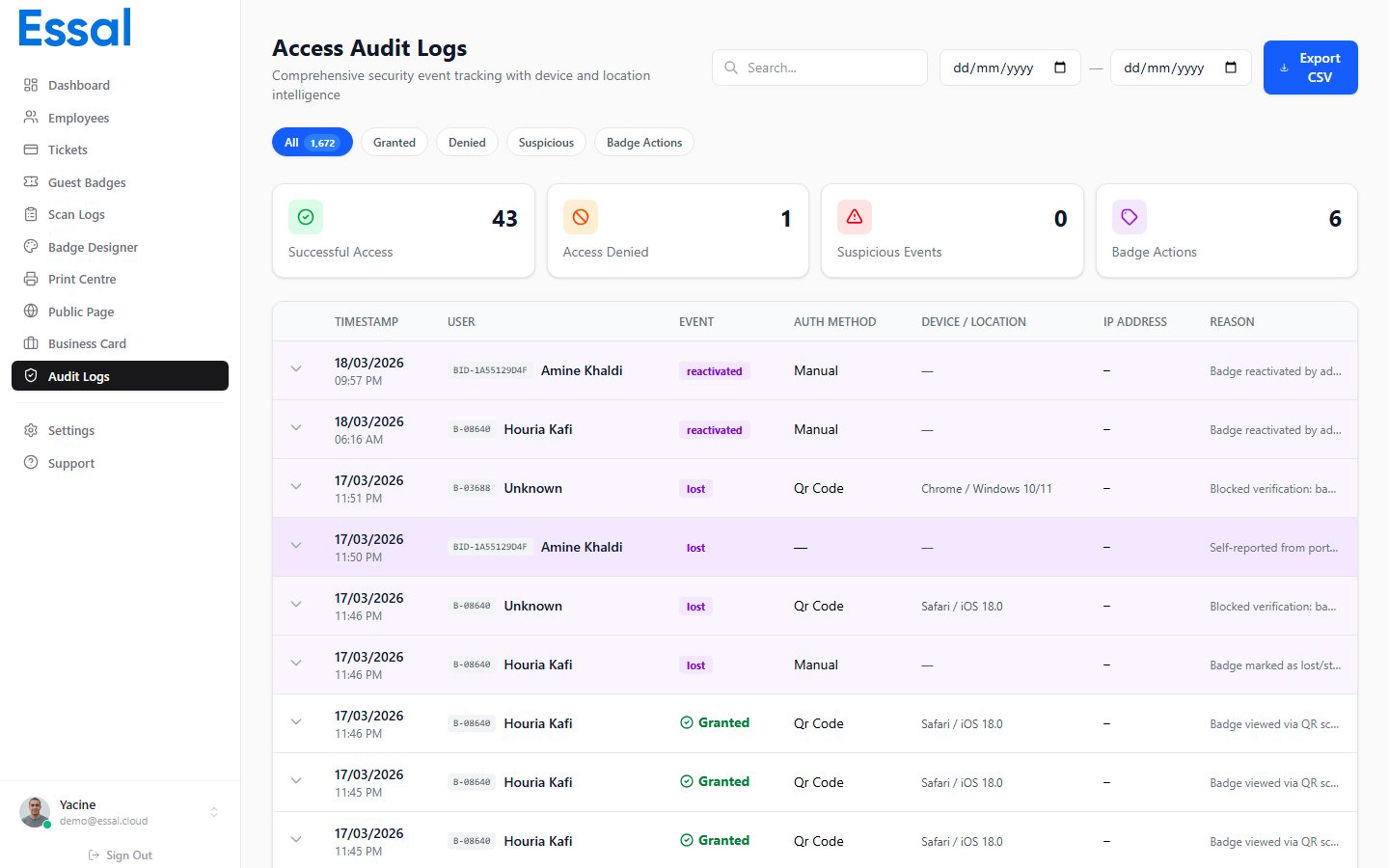 **Location:** Admin panel → **Audit Logs** (route: `/audit-logs`)
Audit logs record every interaction with a public badge profile — whether the scan succeeded, was blocked, or triggered a security alert.
### What Is Recorded
Each audit log entry captures:
| Field | Description |
| --------------- | ----------------------------------------------- |
| **Employee** | Name of the employee whose badge was scanned |
| **Badge ID** | The physical badge ID used |
| **Status** | Outcome of the scan (see below) |
| **Reason** | Human-readable description of the outcome |
| **Timestamp** | Date and time of the scan |
| **Device** | Browser and operating system of the scanner |
| **Device type** | Desktop, mobile, or tablet |
| **IP address** | Resolved automatically after the scan |
| **Auth method** | How the scan was initiated (QR code, PIN, etc.) |
### Status Values
| Status | Meaning |
| ------------------ | -------------------------------------------------------------- |
| `success` | Profile viewed — badge and employee are active |
| `denied` | Scan blocked (invalid badge, profile disabled, etc.) |
| `badge_lost` | Badge was reported lost or stolen |
| `badge_suspended` | Badge or employee is suspended |
| `badge_terminated` | Employee has been terminated |
| `suspicious` | Unusual activity detected (e.g. badge deactivated mid-session) |
### IP Address Resolution
The IP address is resolved asynchronously in the background after the scan event is created. There is a brief window where the IP may show as empty while the lookup completes.
***
## Scan Logs (Check-In Device Scans)
**Location:** Admin panel → **Audit Logs** (route: `/audit-logs`)
Audit logs record every interaction with a public badge profile — whether the scan succeeded, was blocked, or triggered a security alert.
### What Is Recorded
Each audit log entry captures:
| Field | Description |
| --------------- | ----------------------------------------------- |
| **Employee** | Name of the employee whose badge was scanned |
| **Badge ID** | The physical badge ID used |
| **Status** | Outcome of the scan (see below) |
| **Reason** | Human-readable description of the outcome |
| **Timestamp** | Date and time of the scan |
| **Device** | Browser and operating system of the scanner |
| **Device type** | Desktop, mobile, or tablet |
| **IP address** | Resolved automatically after the scan |
| **Auth method** | How the scan was initiated (QR code, PIN, etc.) |
### Status Values
| Status | Meaning |
| ------------------ | -------------------------------------------------------------- |
| `success` | Profile viewed — badge and employee are active |
| `denied` | Scan blocked (invalid badge, profile disabled, etc.) |
| `badge_lost` | Badge was reported lost or stolen |
| `badge_suspended` | Badge or employee is suspended |
| `badge_terminated` | Employee has been terminated |
| `suspicious` | Unusual activity detected (e.g. badge deactivated mid-session) |
### IP Address Resolution
The IP address is resolved asynchronously in the background after the scan event is created. There is a brief window where the IP may show as empty while the lookup completes.
***
## Scan Logs (Check-In Device Scans)
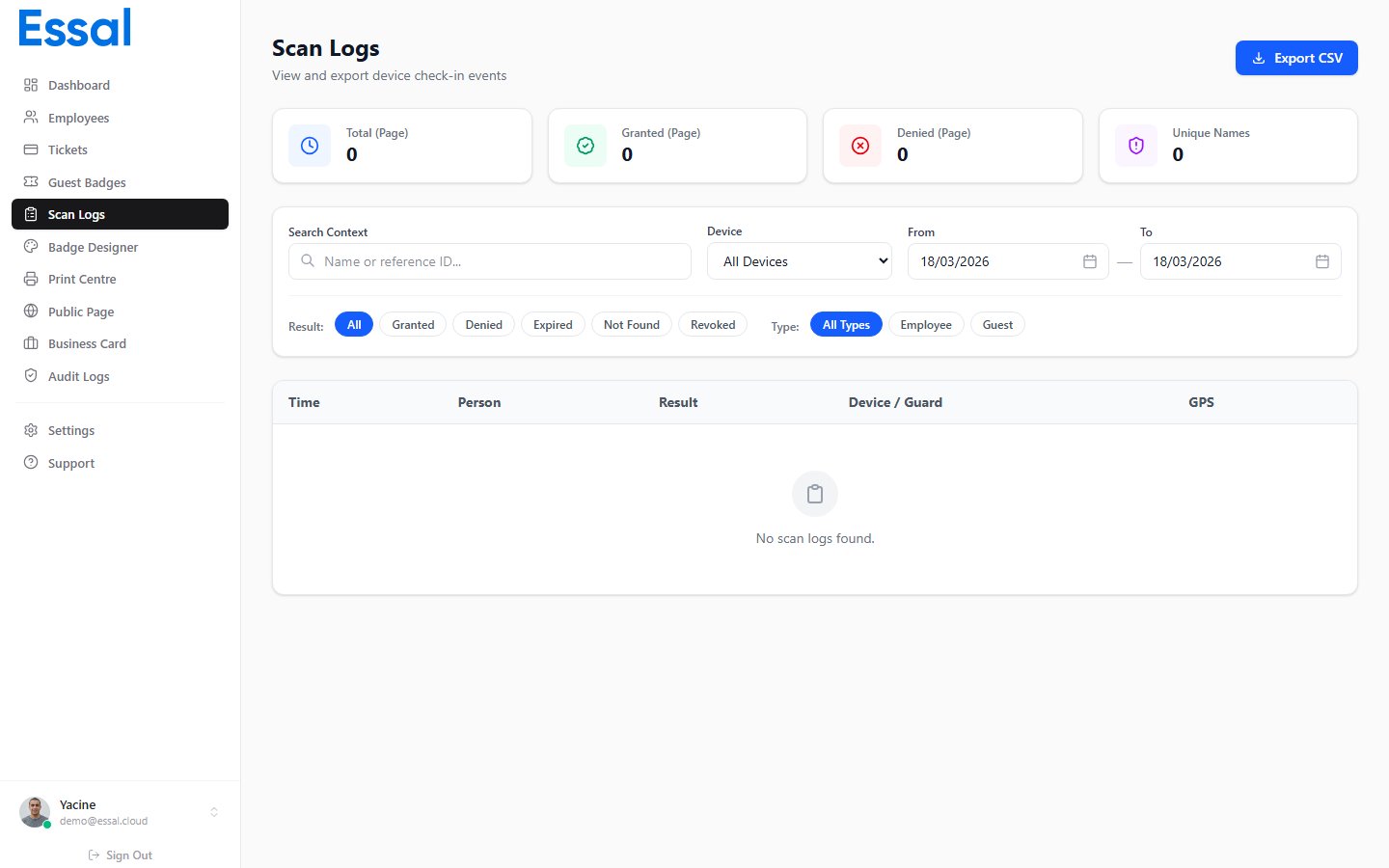 **Location:** Admin panel → **Scan Logs** (route: `/scan-logs`)
Scan logs record every scan performed by a registered check-in device — such as a tablet running the Essal Check-In App.
### What Is Recorded
Each scan log entry captures:
* Employee name and badge ID
* Scan result (Access Granted / Denied)
* The check-in device that performed the scan
* Location of the device
* Timestamp
### Difference from Audit Logs
| | Audit Logs | Scan Logs |
| ------------------ | -------------------------------------------- | --------------------------------------- |
| **Source** | Any QR scan (phone, browser, etc.) | Registered check-in devices only |
| **Authentication** | None required | Device must be registered |
| **Primary use** | Security monitoring, profile access tracking | Physical access control at entry points |
Use both logs together for a complete picture of badge activity across your organization.
**Location:** Admin panel → **Scan Logs** (route: `/scan-logs`)
Scan logs record every scan performed by a registered check-in device — such as a tablet running the Essal Check-In App.
### What Is Recorded
Each scan log entry captures:
* Employee name and badge ID
* Scan result (Access Granted / Denied)
* The check-in device that performed the scan
* Location of the device
* Timestamp
### Difference from Audit Logs
| | Audit Logs | Scan Logs |
| ------------------ | -------------------------------------------- | --------------------------------------- |
| **Source** | Any QR scan (phone, browser, etc.) | Registered check-in devices only |
| **Authentication** | None required | Device must be registered |
| **Primary use** | Security monitoring, profile access tracking | Physical access control at entry points |
Use both logs together for a complete picture of badge activity across your organization.